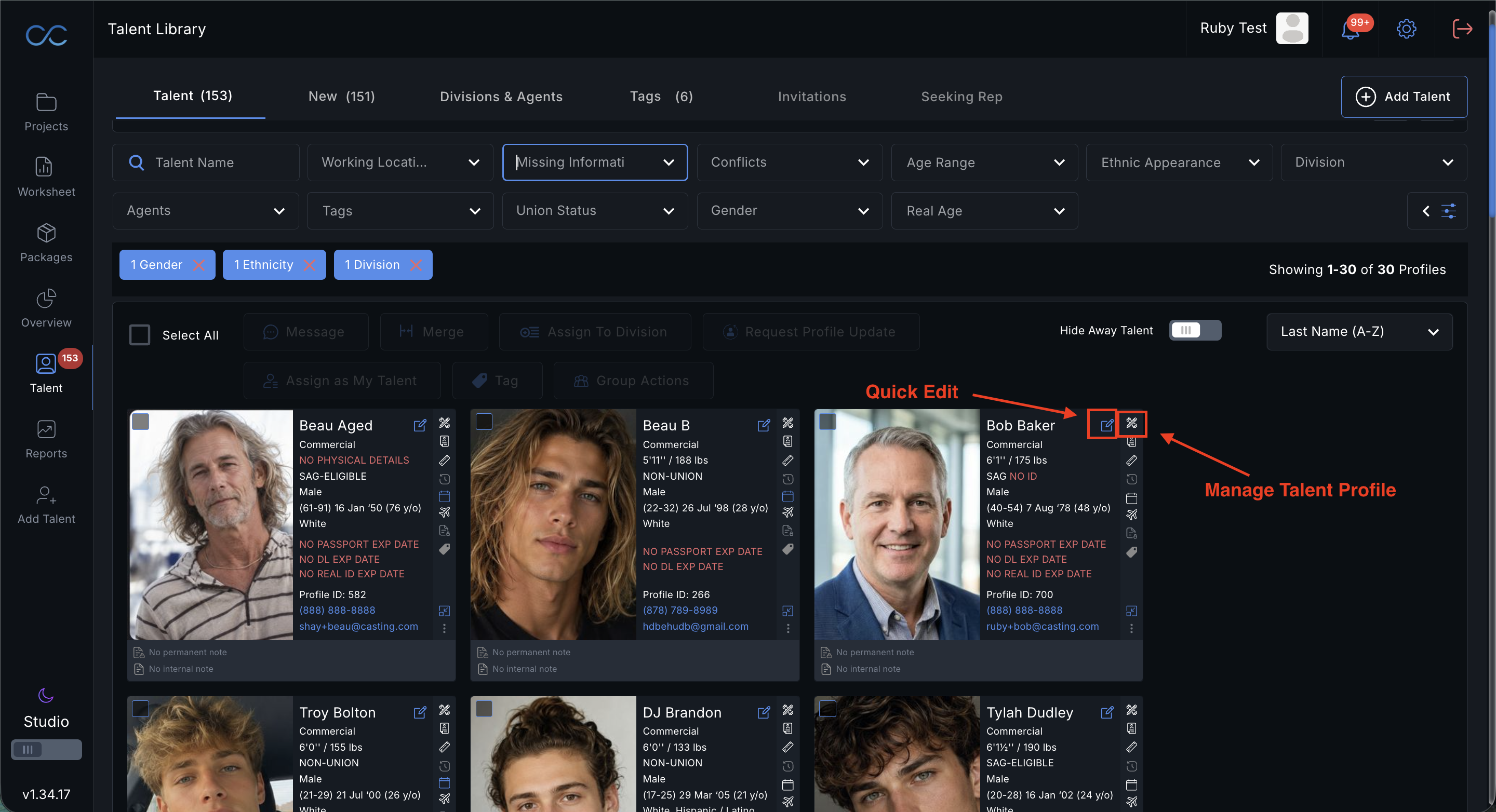
All representatives will have the ability to edit any of their talent's information on their behalf. To do this, navigate to your Talent Library. You can click the quick edit icon on the left, to edit any of the talent's basic information, or click the manage talent profile icon on the right, to edit more in depth talent information.
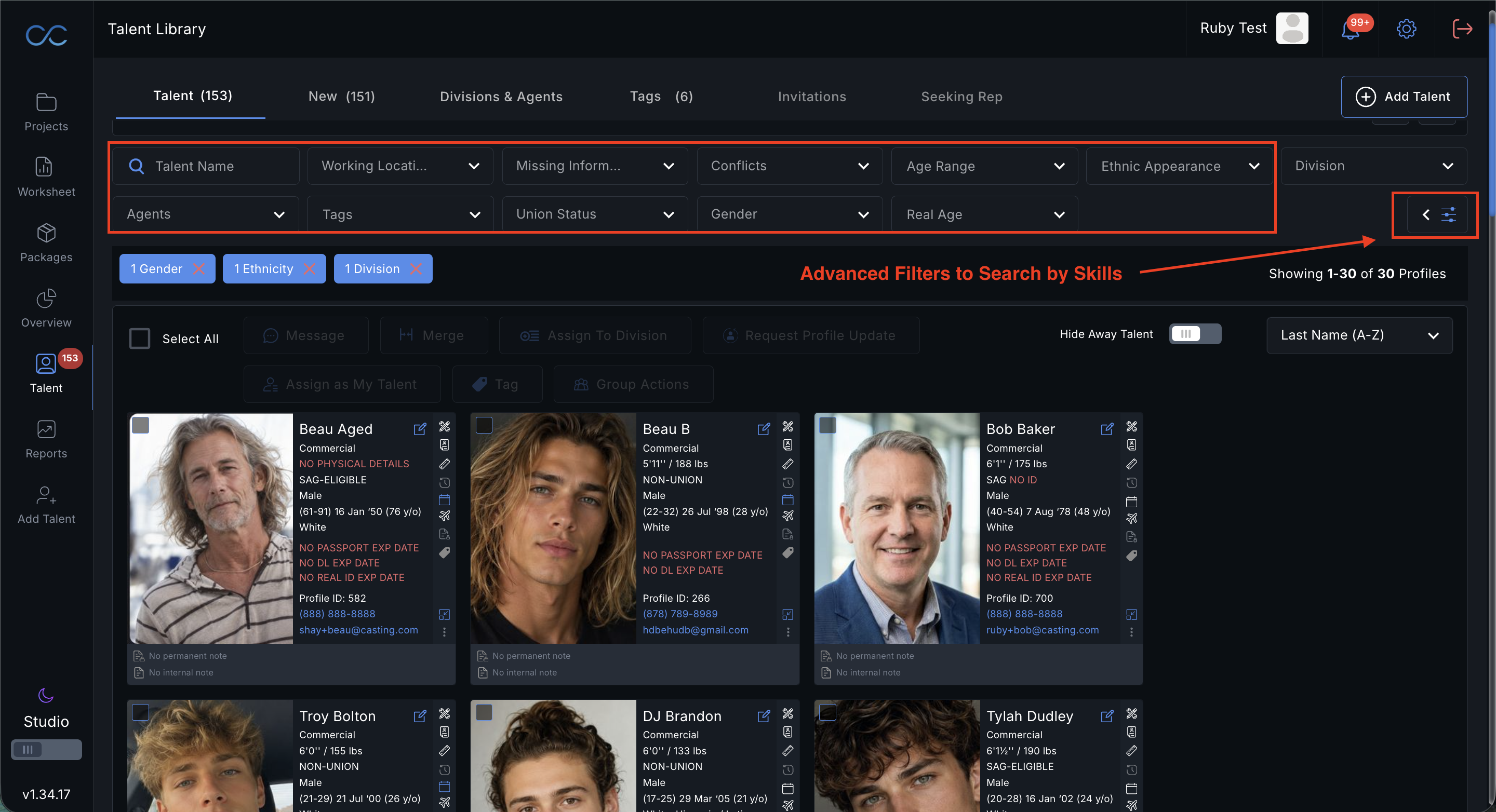
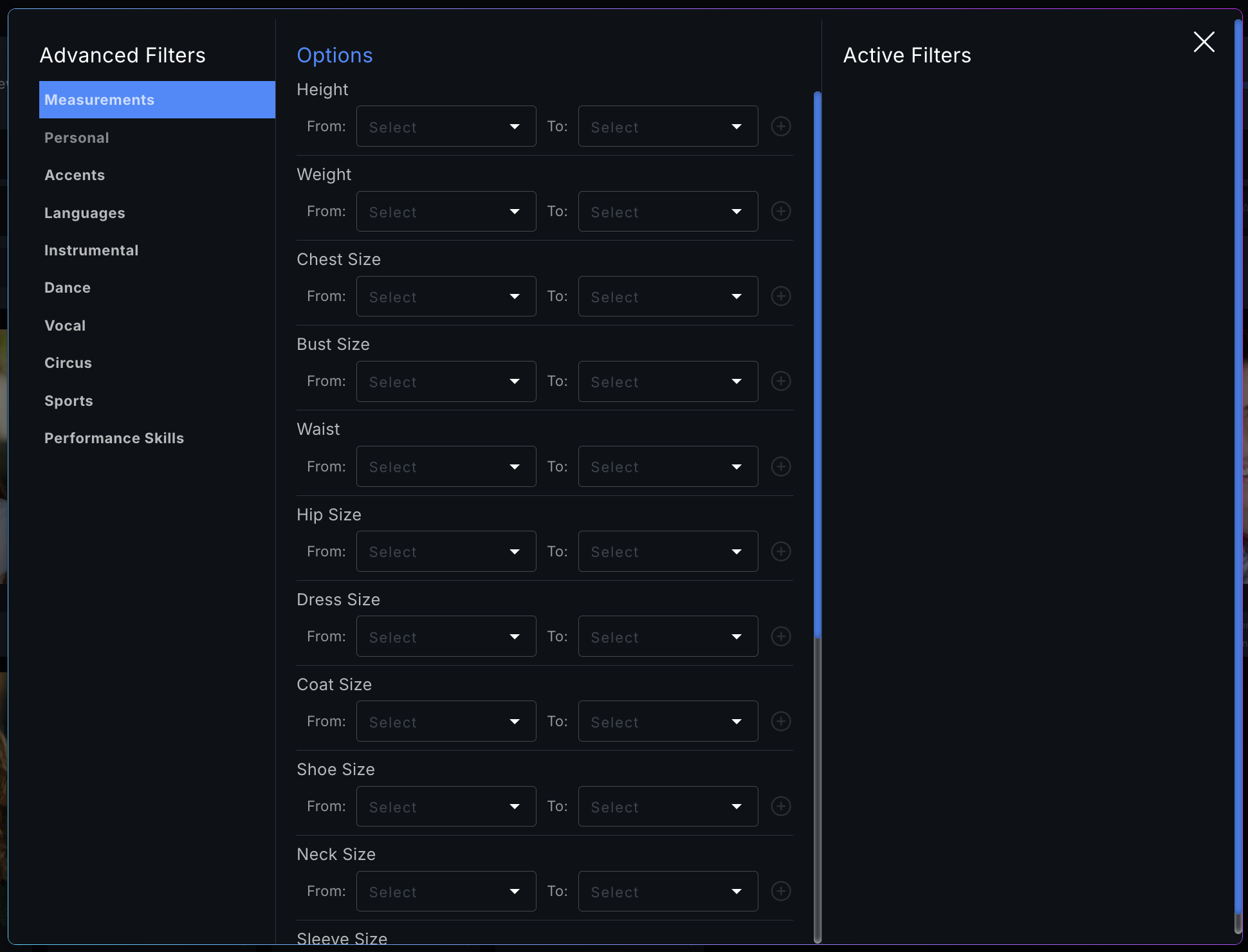
Please note we have updated our filters on Talent Library to include age range, filters for missing information as well as search ability on skills.
Please see a video demonstration here:
Was this article helpful?
That’s Great!
Thank you for your feedback
Sorry! We couldn't be helpful
Thank you for your feedback
Feedback sent
We appreciate your effort and will try to fix the article