Talent can rearrange any media content they upload onto our site. This includes video, audio and images.
Please see the video details below:
To delete media:
1) Navigate to the media tab
2)Click View All
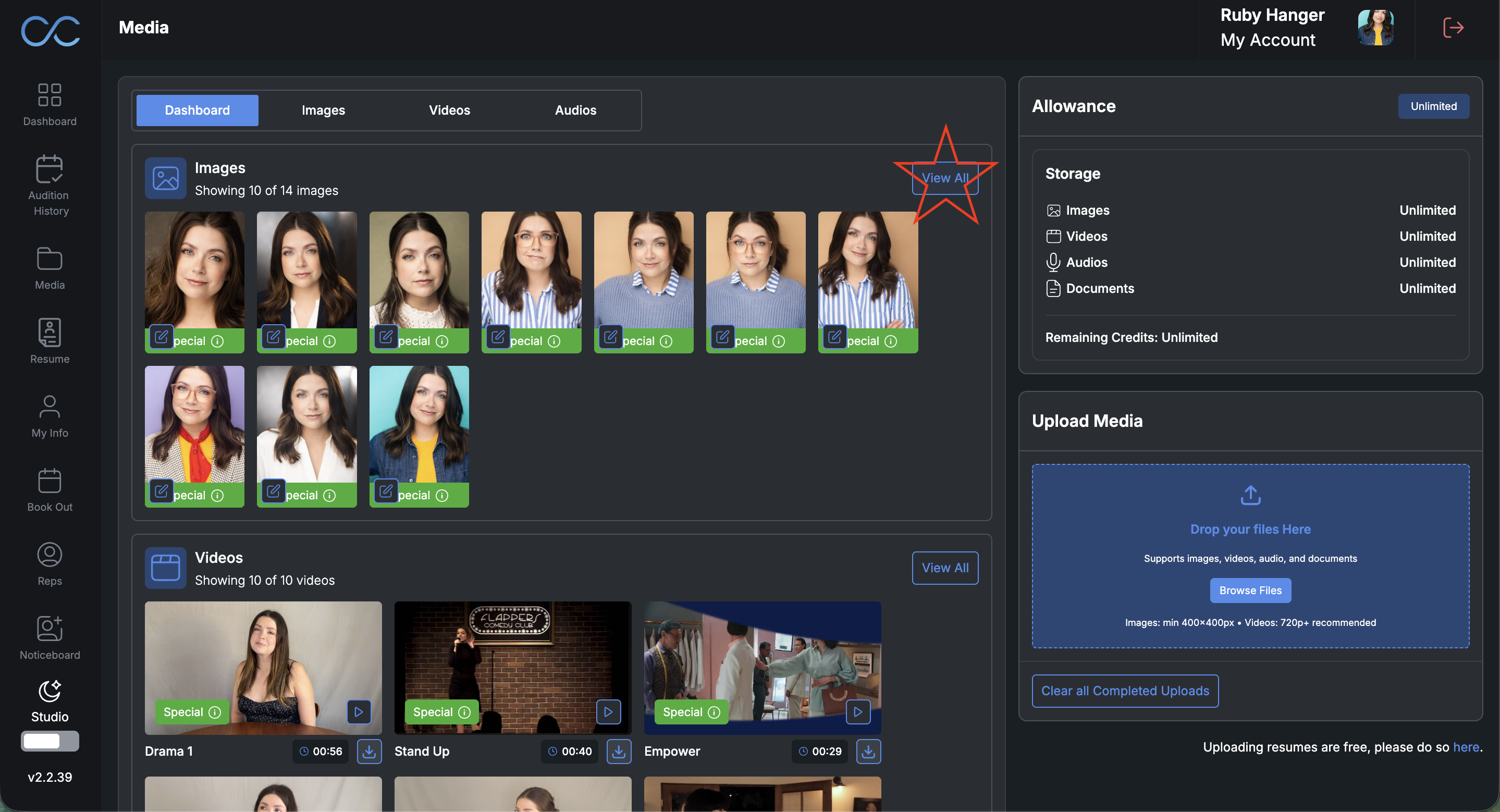
3) Select which image you wish to delete and click "delete selected"
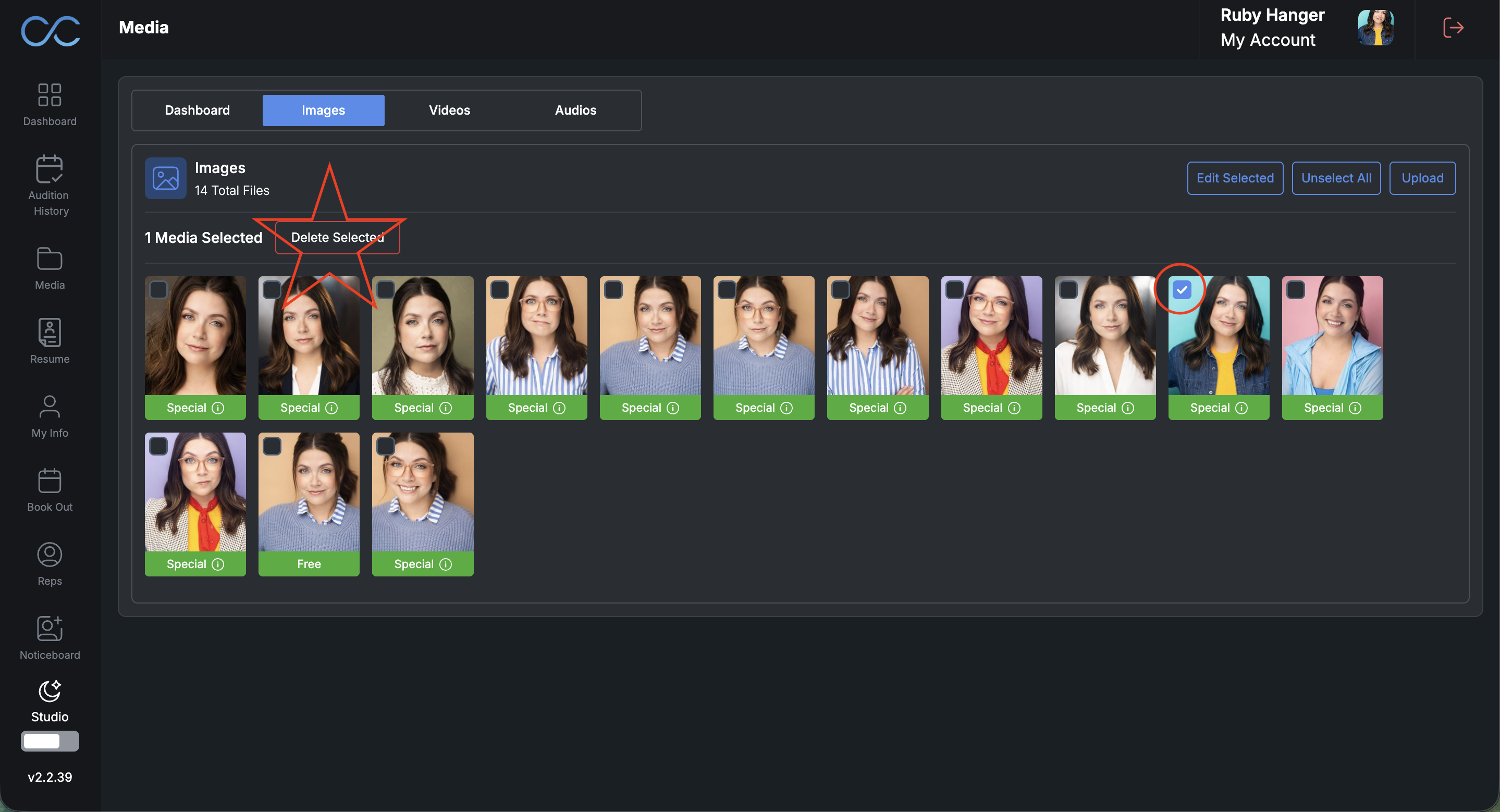
Please note: You cannot delete an image that is currently being used as a primary image for any of your profiles
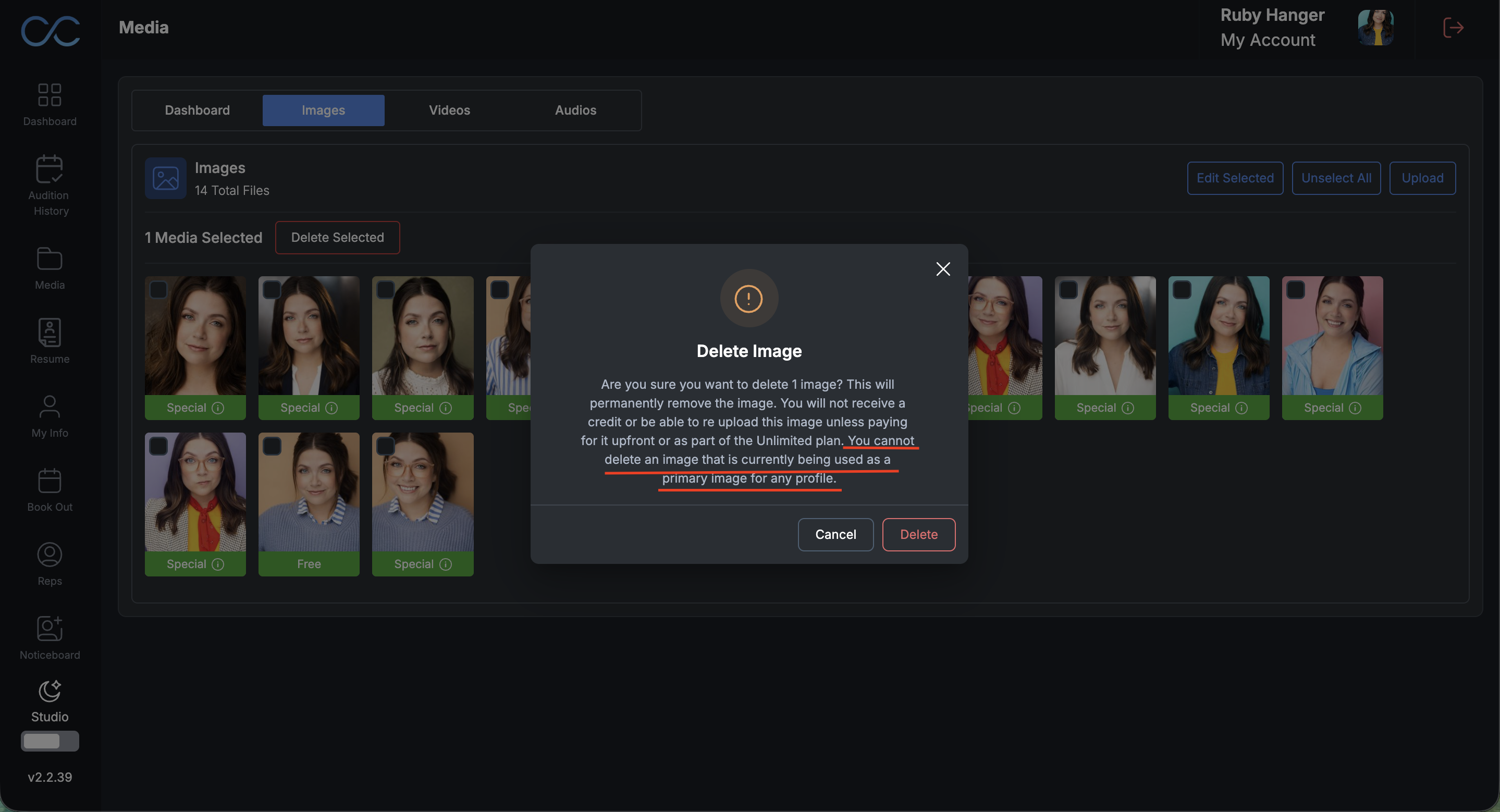
If you attempt to delete a photo that is currently being used as a primary image for any of your profiles, you will see this error message:
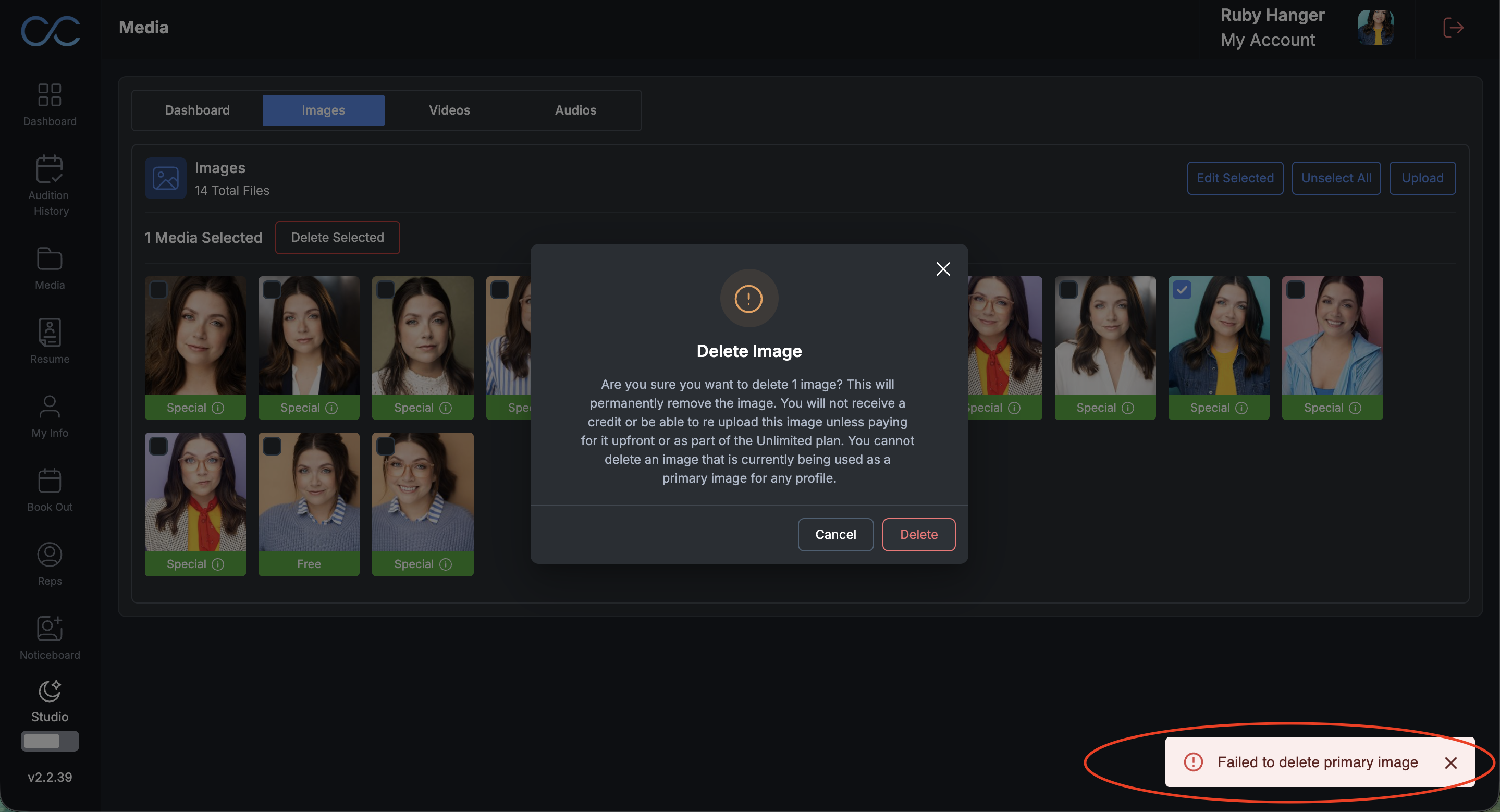
If you see this error message, navigate to the reps tab, and change your primary image. Then navigate back to the media tab, to delete your image.
Was this article helpful?
That’s Great!
Thank you for your feedback
Sorry! We couldn't be helpful
Thank you for your feedback
Feedback sent
We appreciate your effort and will try to fix the article