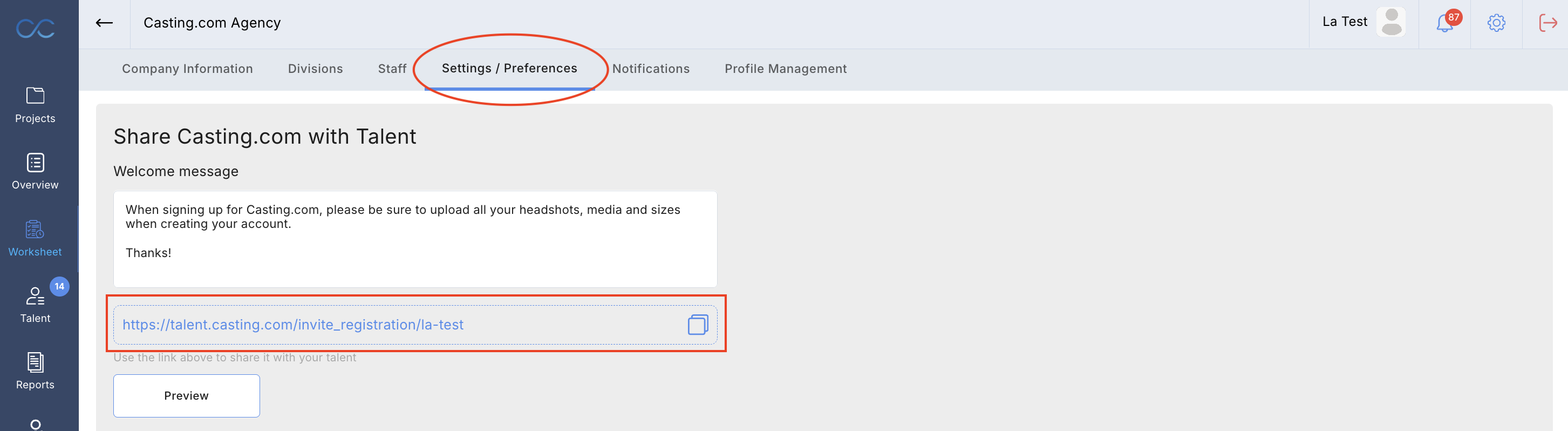
If your talent does not already have an account on Casting.com you can invite them to sign up with a custom link. This link will prompt them to create their account, which will then automatically be linked to your company.
At the top right hand corner of your account, there is an icon for settings. In the settings area, there will be a tab called 'settings/preferences' and you will find your agency link here.
Please note: Talent don't need an agency link to sign up. They can create an account at talent.casting.com. If they have already signed up for an account, they can then choose your agency as their representative, which will add them to your talent roster.
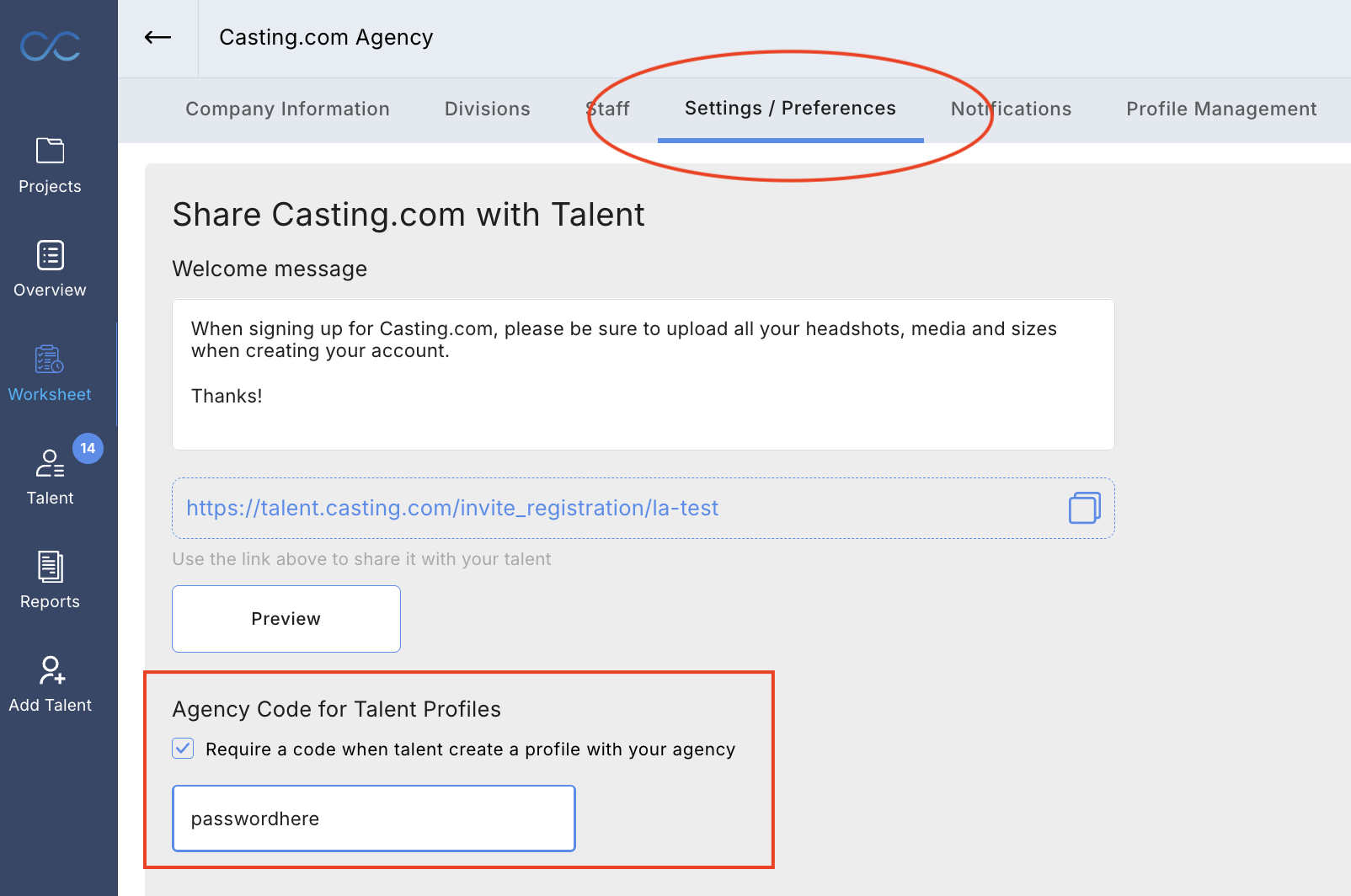
You can also create a special agency code as an added level of protection so only talent with that code can be added to your library.
Video instructions below:
Was this article helpful?
That’s Great!
Thank you for your feedback
Sorry! We couldn't be helpful
Thank you for your feedback
Feedback sent
We appreciate your effort and will try to fix the article